Get it done without the to-do list stress
Todoist is built around a list of tasks. Flipnotes is a notebook where tasks, dates and checklists live beside everything you write, and a finished checklist gets a big DONE stamp.
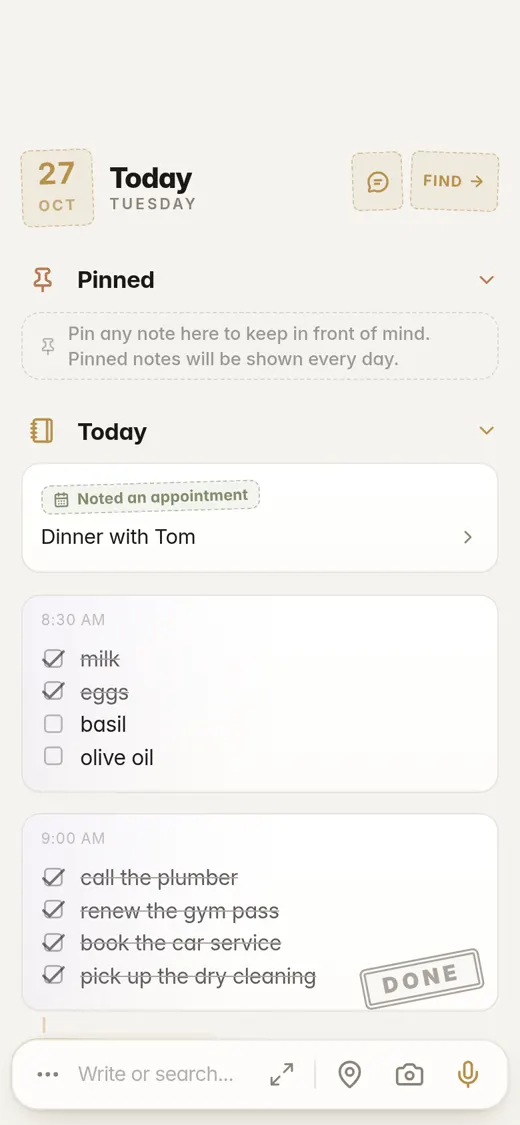
- To us a task list that only grows feels like a list staring back.
- In Todoist notes feel like an afterthought. Here they come first.
- A finished checklist gets a big DONE stamp.
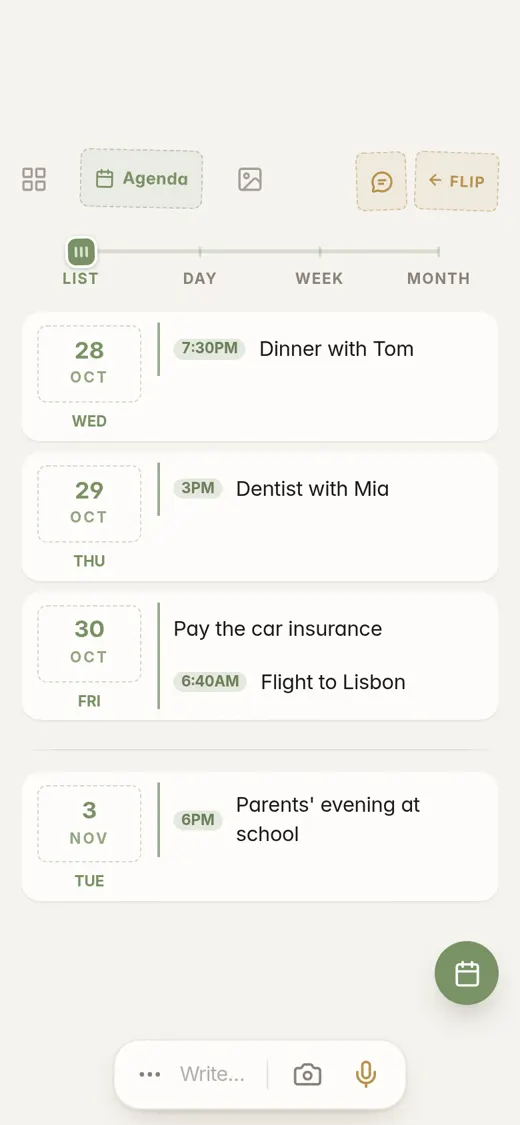
- Write the date in words and it is in your agenda.
A task list or a notebook
Todoist does tasks, and does them well. It has projects, labels, filters and dates you can type in plain words, and it runs on desktop, phone and the web. Notes are an add-on: a description and comments on a task. If you want to write something that is not a task, there is little room for it.
Most of what we need to do starts as something we wrote down: a note after a call, a message, a thought on the way home. In Flipnotes you write the note, and the dates in it go into your agenda. Checklists sit in the same notebook. Todoist shows what you missed in red, in an Overdue section. To us a list like that can feel like it is staring back. We wanted a calmer end to the day.
Adding one task with a date
The steps to save "Pay the car insurance by the 30th" so it shows up on that day.
Todoist
- 1Open the app
- 2Open Quick Add
- 3Type the task with the date in it. Todoist recognizes dates written in words
- 4Add the task, and pick a project if you want it in a particular one
Flipnotes
- 1Open the app. The writing bar is already there
- 2Type "Pay the car insurance by the 30th"
- 3Tap Save. It is in your agenda on the 30th
Both apps understand a date written in words. The difference is the first move. Todoist opens a task form, so you decide first that this is a task. In Flipnotes the same bar takes any note, so you just write.
A checklist that ends with a DONE stamp
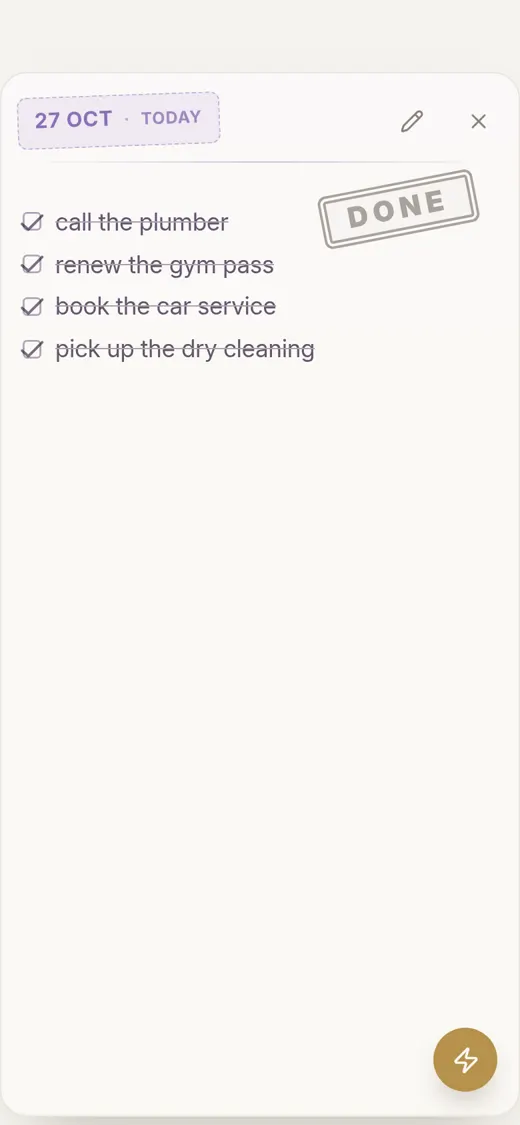
Make a checklist in a note and tick the items as you go. When the last box is ticked, the checklist gets a big DONE stamp.
You see it on today's page, and again when you open the note. Finishing something should feel like finishing something.
All your checklists on one page
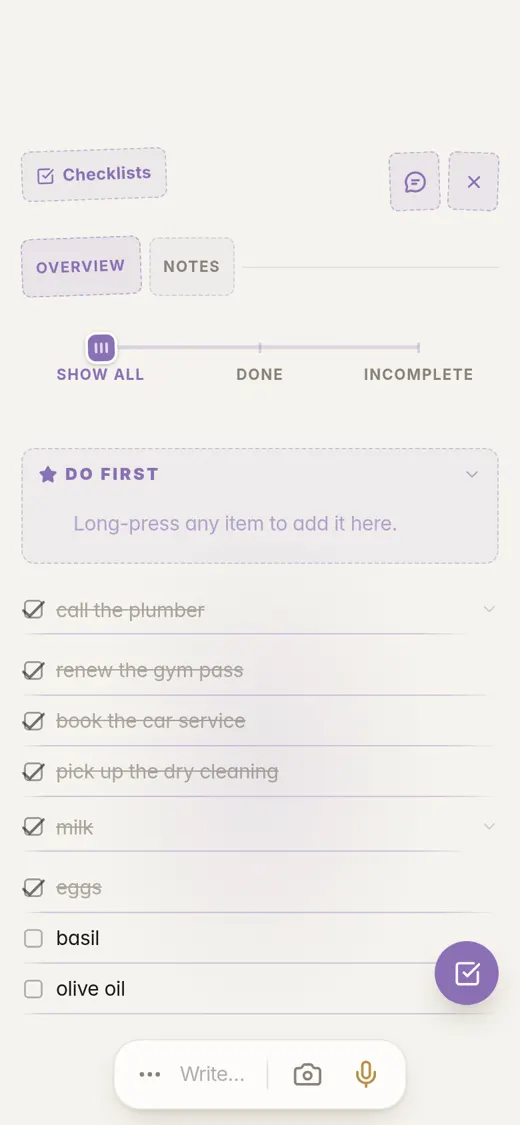
The Checklists page lists every checklist you have made. Choose Show all, Done or Incomplete.
A Do first box holds the few you want to start with, so you are not facing the whole pile.
Dates in your notes go in your agenda
Write "Dentist with Mia on Thursday at 3pm" and it appears in your agenda on Thursday. You don't fill in a date field.
On an agenda item you can tap Stamp done when it is finished. The agenda also shows as a calendar by week, month and year.
More about the agenda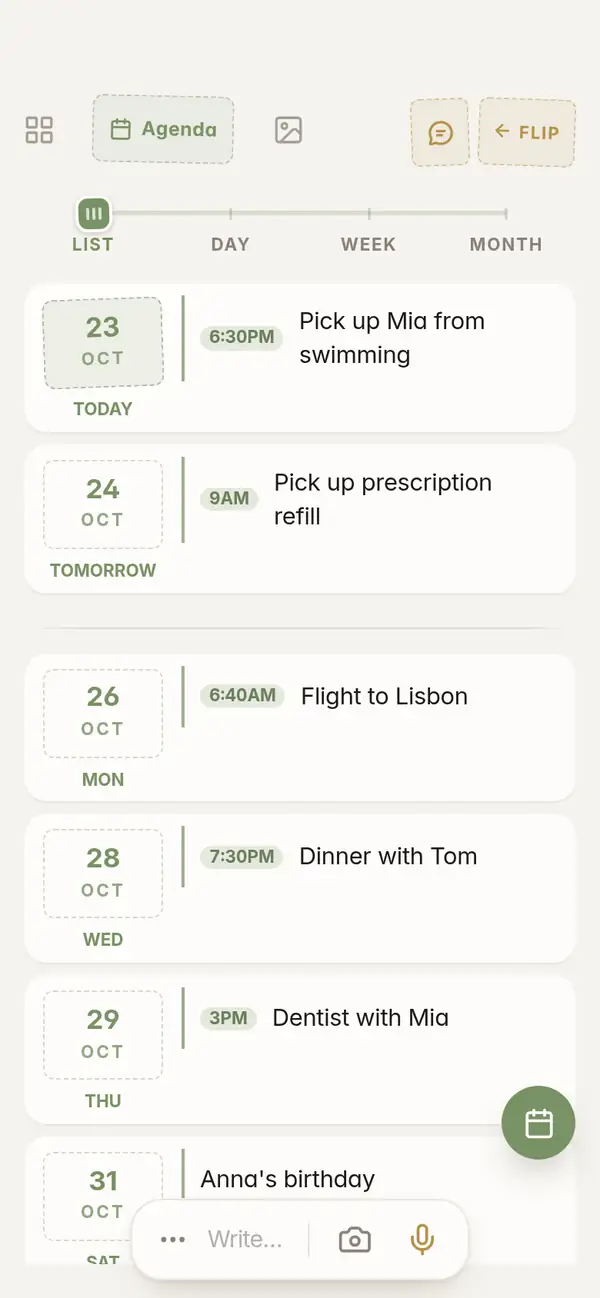
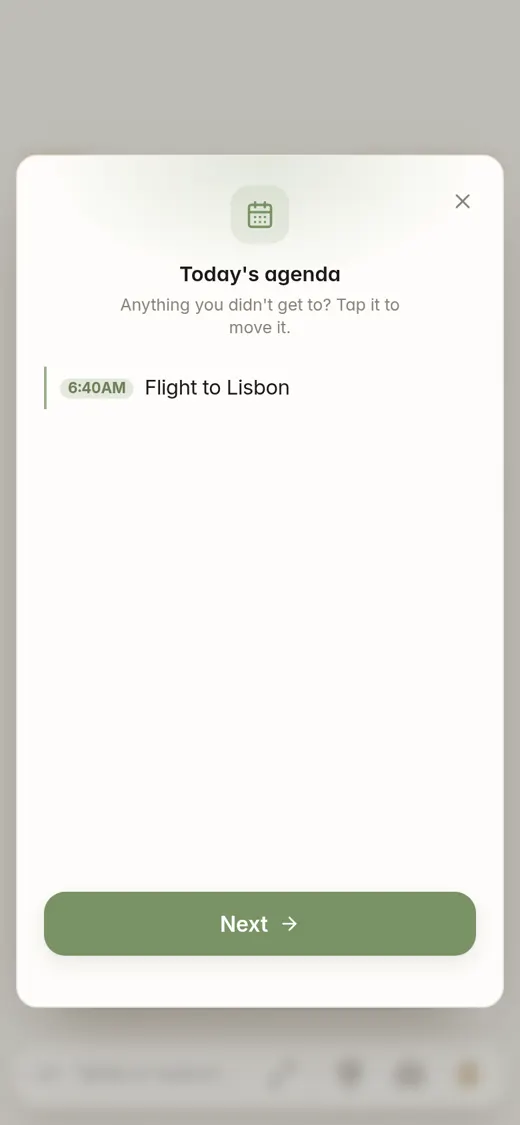
An evening look at your day
My day shows today's agenda. Tap an item you didn't get to and move it to another day. No red, no pile.
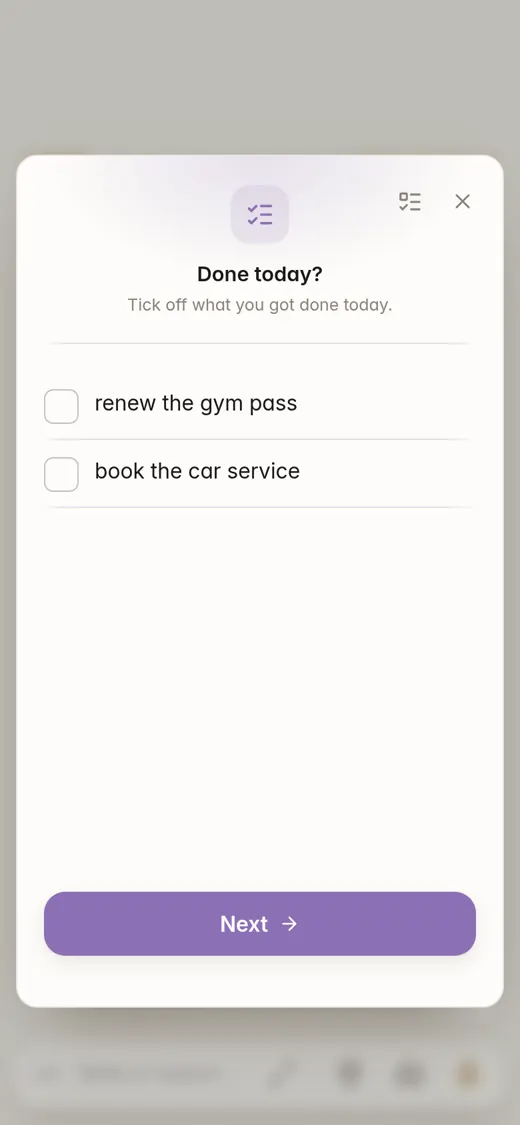
Under it is Done today, with your open checklist items. Tick off what you did and close the day.
Write it down, and it is sorted
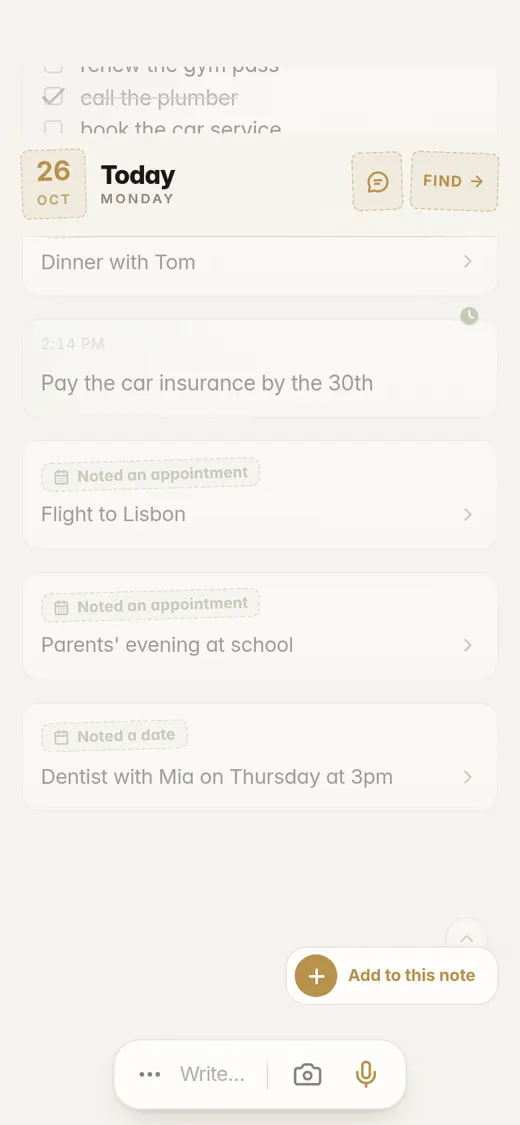
You don't pick a project or add a label first. Flipnotes reads each note and puts it in the right categories, and a date goes in your agenda.
"Pay the car insurance by the 30th"
Goes intoDates & AppointmentsIn your agenda on the 30th.
"Dentist with Mia on Thursday at 3pm"
Goes intoDates & AppointmentsHealthPeopleIn your agenda on Thursday at 3 PM.
"Dinner with Tom on Wednesday at 7:30"
Goes intoDates & AppointmentsPeople
Pro, if you use it all day
Everything on this page comes with every plan. Pro gives you more room.
- Voice notes up to 5 minutes long (2 minutes on Personal)
- 5,000 photos a year (2,000 on Personal)
- 20 GB of storage (4 GB on Personal)
- Up to 2,000 questions a month to your notebook (280 on Personal)
Common questions
Can Flipnotes replace Todoist?
For many people, yes. You can write tasks as notes, keep checklists, and see what is coming in the agenda. Todoist has projects, labels and filters that Flipnotes does not copy, so it depends on how you use it.
Does Todoist have notes?
Only as an extra: a description and comments on a task. Flipnotes is a notebook first, so a note can be a page of writing, a photo or a voice note, and a task can be part of it.
Can I move my tasks over?
Type or paste them into Flipnotes as notes or as a checklist. Dates written in words go into your agenda.
What does the DONE stamp do?
When every item in a checklist is ticked, it gets a DONE stamp. You can also tap Stamp done on an agenda item.
Does it work on iPhone and Android?
Yes, and on your computer too: just open flipnotes.life in your browser. Your notes are the same everywhere.
Can I try it first?
Yes, your first month is free. After that you pick a plan.
Finish something today
Install Flipnotes, make a checklist, tick the boxes and see the stamp land.


Flipnotes is also for
- Flipnotes for real estate agentsPhotos of every property, pinned on a map, sorted for you.
- Flipnotes for house huntingKeep every house you see apart, with its photos and its place on the map.
- Flipnotes for lawyersDictate after a meeting and ask your notebook about any client.
- Flipnotes for busy peopleType one line and it's in your calendar.
- Flipnotes for journalingSay what's on your mind and flip back through your days.
Compare Flipnotes with other apps
- Flipnotes vs Google KeepSave anything in one or two taps, and get it sorted, dated and on a map.
- Flipnotes vs Apple NotesThe same quick notes, sorted for you, on iPhone, Android and any computer.
- Flipnotes vs EvernoteNo notebooks or tags to manage: write it down and it's filed.
- Flipnotes vs ObsidianOpen it and write. No vault, links or plugins to set up first.
- Flipnotes vs NotionA notebook for quick notes on your phone, not a database to build.
- Flipnotes vs Apple Notes, Evernote and OneNoteHow many steps it takes to save a note in each, side by side.
- Flipnotes vs Google Calendar and OutlookAdding an appointment: one line in Flipnotes, a form in a calendar app.