The notebook for lawyers
Dictate after a meeting and find any client's notes in seconds.
Your paper notebook, but you can search it
Most lawyers still carry a notebook. Client calls, things to check, dates, a phone number someone gave you in the corridor. It works, until you need something from three months ago and have to leaf through it page by page.
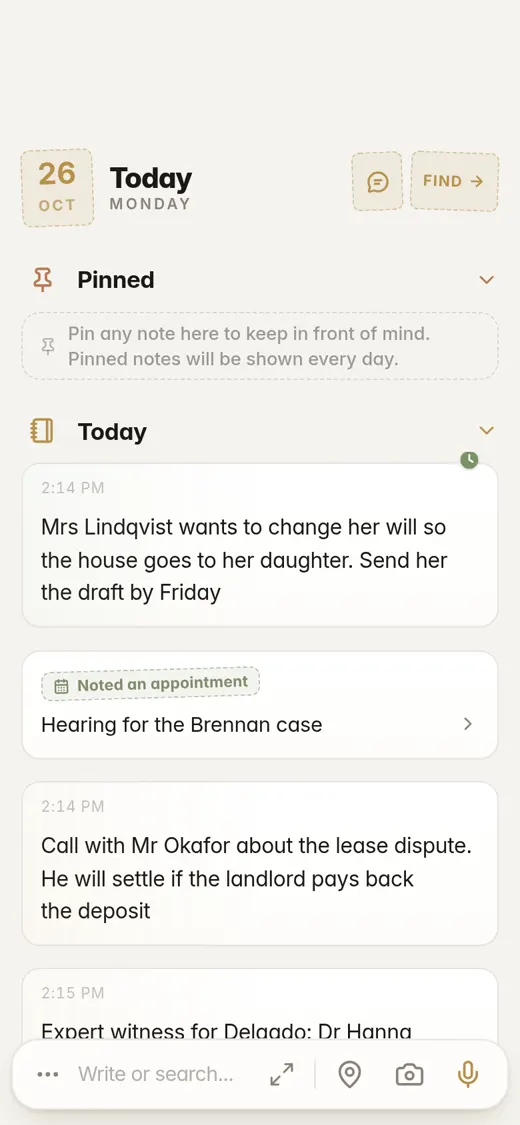
Flipnotes works like that notebook: every day has its page and you can flip back through them. But you can also dictate instead of writing, search every word you ever noted, and ask it questions about your own notes.
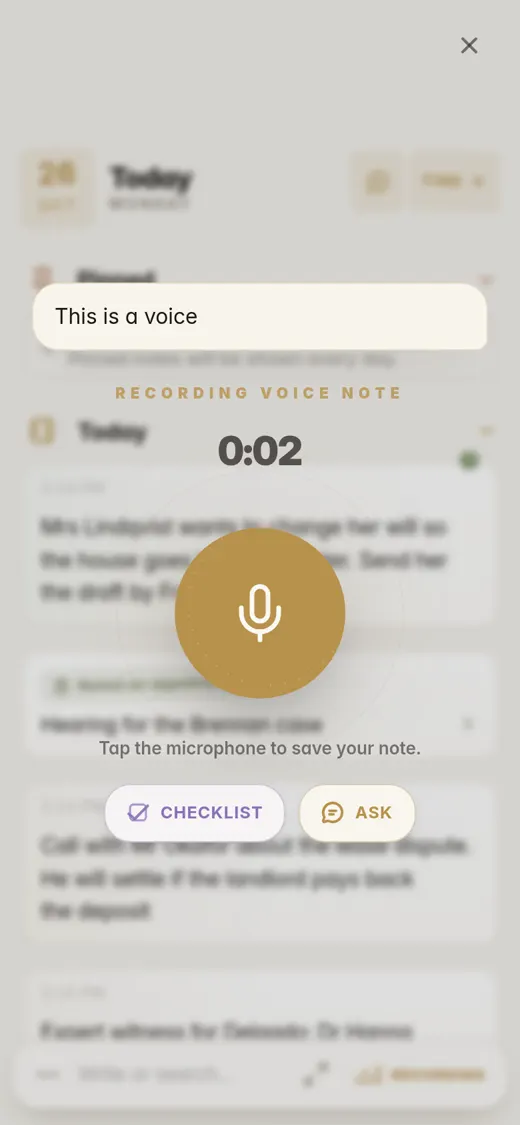
Dictate on the way back from court
Tap the mic and talk: what was agreed, what the client is sending, what's due when. Flipnotes types it out as you speak and keeps the recording too.
On Pro a voice note can run up to 5 minutes, enough for a full debrief after a meeting.
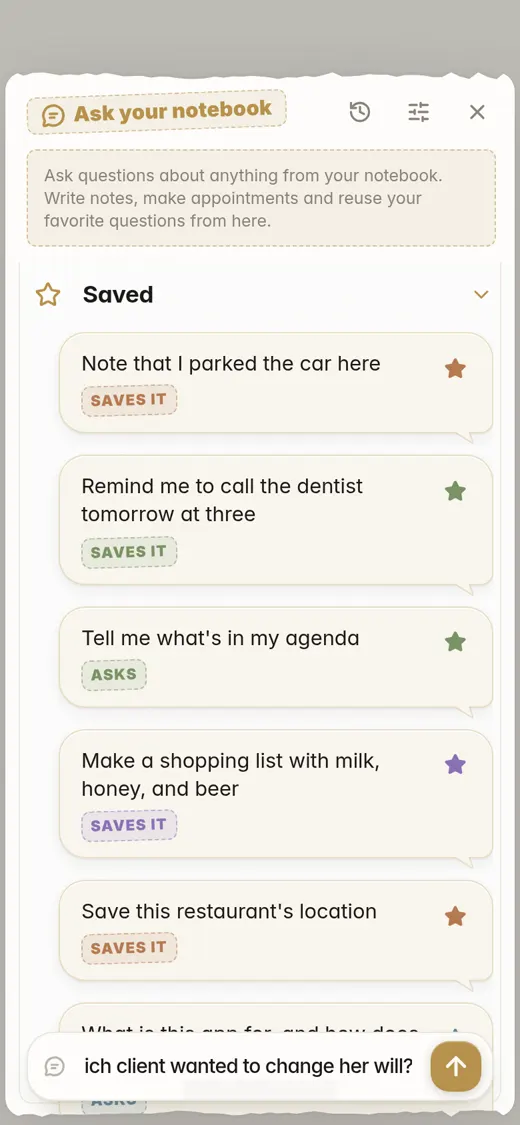
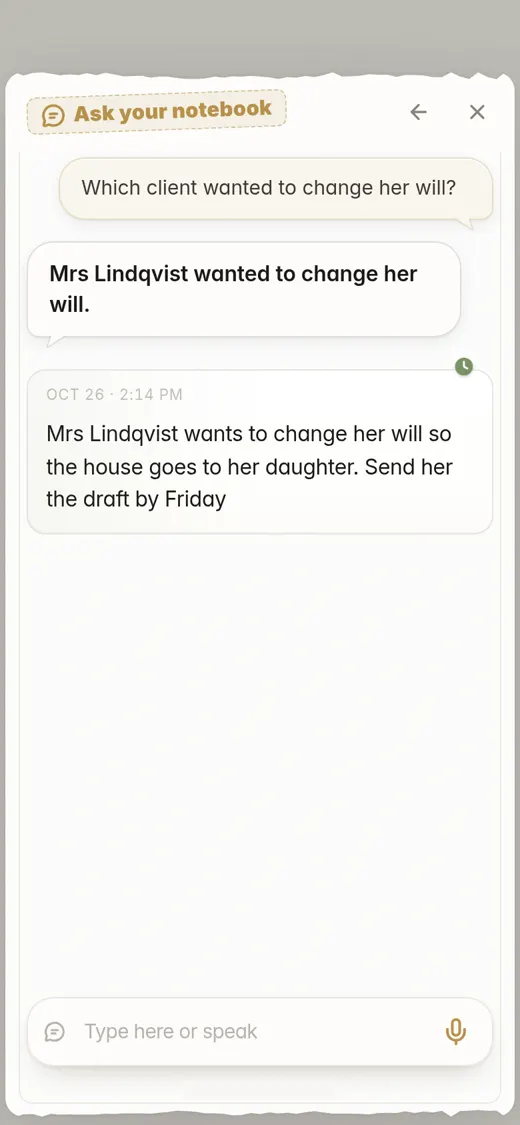
Ask which client wanted what
"Which client wanted to change her will?" "When is the Brennan hearing?" Ask in plain words, by typing or speaking, and Flipnotes answers from your own notes and shows you the note it found.
Dates go in your agenda on their own
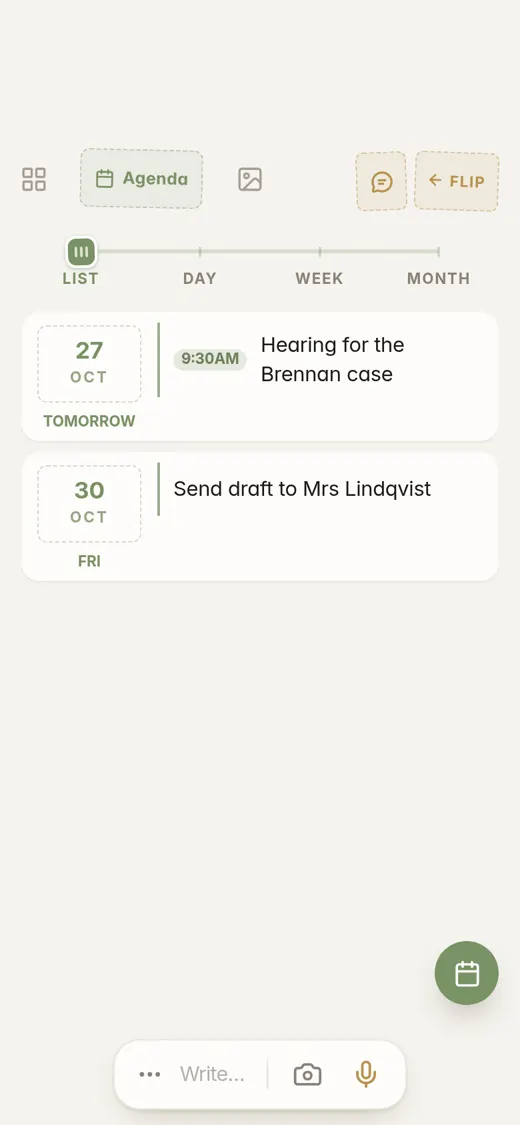
Write "Hearing for the Brennan case on Tuesday at 9:30" and it shows up in your agenda on Tuesday at 9:30. A note that says "send her the draft by Friday" puts the draft on Friday.
Years of notes, and it doesn't get messy
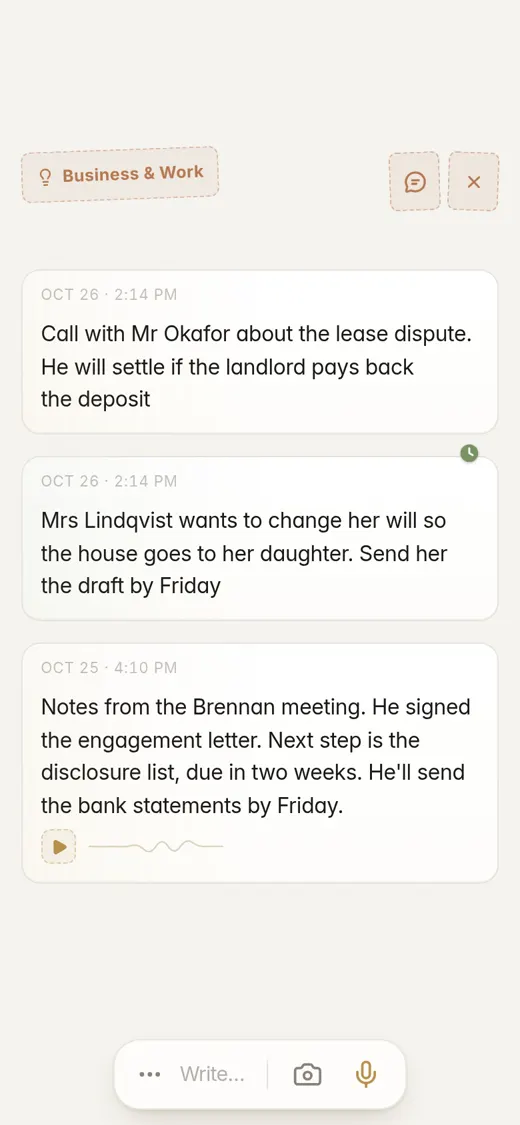
Flipnotes reads every note as you save it and puts it in one or more categories: Business & Work, Dates & Appointments, Contact Info, People. Your notes stay in order by day, and the categories give you a second way in.
So after a few years there's no pile to dig through. You open a category, search for a name, or just ask.
"Mrs Lindqvist wants to change her will so the house goes to her daughter. Send her the draft by Friday"
Goes intoBusiness & WorkDates & AppointmentsPeople"Send draft to Mrs Lindqvist" shows up in your agenda on Friday.
"Hearing for the Brennan case on Tuesday at 9:30, courtroom 4"
Goes intoDates & AppointmentsIt's in your agenda on Tuesday at 9:30 AM.
"Call with Mr Okafor about the lease dispute. He will settle if the landlord pays back the deposit"
Goes intoBusiness & WorkPeople"Expert witness for Delgado: Dr Hanna Weiss, 0171 555 0192"
Goes intoContact InfoPhone NumbersPeople
Pro, if you dictate a lot
Everything on this page comes with every plan. Pro gives you longer voice notes and more questions to your notebook.
- Voice notes up to 5 minutes long (2 minutes on Personal)
- 5,000 photos a year (2,000 on Personal)
- 20 GB of storage (4 GB on Personal)
- Up to 2,000 questions a month to your notebook (280 on Personal)
Common questions
Can I dictate a whole meeting summary?
Yes. A voice note runs up to 2 minutes on Personal and 5 on Pro, and it's typed out while you talk. For longer, just record a second one.
How do I find a client's notes from last year?
Search for the client's name, open a category, or ask your notebook: "What did Mr Okafor agree to?"
Does it work on iPhone and Android?
Yes, and on your computer too: just open flipnotes.life in your browser. Your notes are the same everywhere.
Can I try it first?
Yes, your first month is free. After that you pick a plan.
Try it after your next meeting
Install Flipnotes, tap the mic and say what was agreed. Then ask it about that client next month.


Flipnotes is also for
- Flipnotes for real estate agentsPhotos of every property, pinned on a map, sorted for you.
- Flipnotes for house huntingKeep every house you see apart, with its photos and its place on the map.
- Flipnotes for busy peopleType one line and it's in your calendar.
- Flipnotes for journalingSay what's on your mind and flip back through your days.
Compare Flipnotes with other apps
- Flipnotes vs Google KeepSave anything in one or two taps, and get it sorted, dated and on a map.
- Flipnotes vs Apple NotesThe same quick notes, sorted for you, on iPhone, Android and any computer.
- Flipnotes vs TodoistYour tasks with your notes, an agenda, My day and a DONE stamp.
- Flipnotes vs EvernoteNo notebooks or tags to manage: write it down and it's filed.
- Flipnotes vs ObsidianOpen it and write. No vault, links or plugins to set up first.
- Flipnotes vs NotionA notebook for quick notes on your phone, not a database to build.
- Flipnotes vs Apple Notes, Evernote and OneNoteHow many steps it takes to save a note in each, side by side.
- Flipnotes vs Google Calendar and OutlookAdding an appointment: one line in Flipnotes, a form in a calendar app.